- Documentation >
- Administration >
- Back office >
- Notifications
Notifications
You can send two types of notifications to the users:
- Notification bar is displayed in specific situations as a message bar appearing at the bottom of the page.
It appears to whoever is doing a specific operation in the back office.
- User notifications are sent to a specific user.
They appear in their profile in the back office.
To send notification to other channels, see Notification channels.
Notification bars
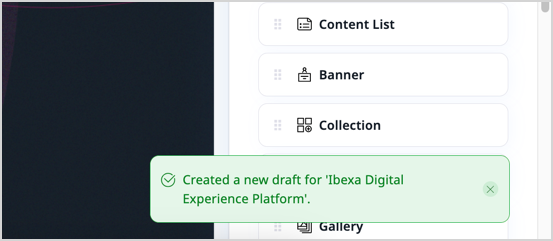
Notifications are displayed as a message bar in the back office.
There are four types of notifications: info, success, warning and error.
Display notification bar from PHP
To send a notification from PHP, inject the TranslatableNotificationHandlerInterface into your class.
| $this->notificationHandler->info(
/** @Desc("Notification text") */
'example.notification.text',
[],
'domain'
);
|
To have the notification translated, provide the message strings in the translation files under the correct domain and key.
Display notification bar from front end
To create a notification from the front end (in this example, of type info), use the following code:
| const eventInfo = new CustomEvent('ibexa-notify', {
detail: {
label: 'info',
message: 'Notification text'
}
});
|
Dispatch the event with document.body.dispatchEvent(eventInfo);.
Notification bar timeout
To define the timeout for hiding Back-Office notification bars, per notification type, use the ibexa.system.<scope>.notifications.<notification_type>.timeout configuration key:
1
2
3
4
5
6
7
8
9
10
11
12 | ibexa:
system:
admin:
notifications:
error:
timeout: 0
warning:
timeout: 0
success:
timeout: 5000
info:
timeout: 0
|
The values shown above are the defaults.
0 means the notification doesn't hide automatically.
browser notification channel
To send notification bars, you can also subscribe to a notification with the browser channel.
For more information, see Notifications channels.
User notifications
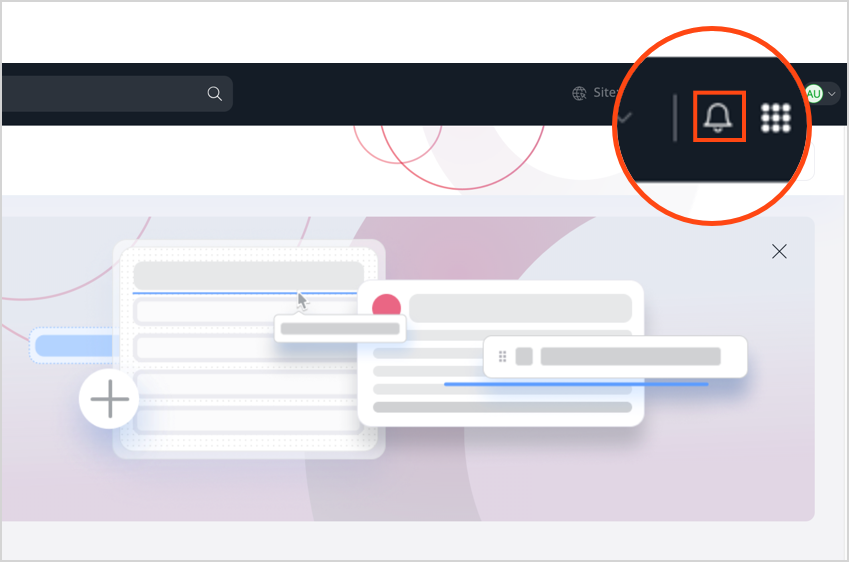
You can send notifications to users which are displayed in the user menu.
Create a custom user notification
To create a new notification you can use the NotificationService::createNotification(CreateStruct $createStruct) method
like in the example below:
1
2
3
4
5
6
7
8
9
10
11
12
13
14
15
16
17
18
19
20
21
22
23
24
25
26
27
28
29
30
31
32
33
34
35
36 | <?php declare(strict_types=1);
namespace App\EventListener;
use Ibexa\Contracts\Core\Repository\Events\Content\PublishVersionEvent;
use Ibexa\Contracts\Core\Repository\NotificationService;
use Ibexa\Contracts\Core\Repository\Values\Notification\CreateStruct;
use Symfony\Component\EventDispatcher\EventSubscriberInterface;
final readonly class ContentPublishEventListener implements EventSubscriberInterface
{
public function __construct(private NotificationService $notificationService)
{
}
public static function getSubscribedEvents(): array
{
return [PublishVersionEvent::class => 'onPublishVersion'];
}
public function onPublishVersion(PublishVersionEvent $event): void
{
$data = [
'content_name' => $event->getContent()->getName(),
'content_id' => $event->getContent()->id,
'message' => 'published',
];
$notification = new CreateStruct();
$notification->ownerId = $event->getContent()->contentInfo->ownerId;
$notification->type = 'ContentPublished';
$notification->data = $data;
$this->notificationService->createNotification($notification);
}
}
|
A new type of user notification is created: ContentPublished.
Display a custom user notification
To display a user notification, write a renderer and tag it as a service.
The example below presents a renderer that uses Twig to render a view:
 1
 2
 3
 4
 5
 6
 7
 8
 9
10
11
12
13
14
15
16
17
18
19
20
21
22
23
24
25
26
27
28
29
30
31
32
33
34
35
36
37
38
39
40
41
42
43
44
45
46
47 | <?php
declare(strict_types=1);
namespace App\Notification;
use Ibexa\Contracts\Core\Repository\Values\Notification\Notification;
use Ibexa\Core\Notification\Renderer\NotificationRenderer;
use Ibexa\Core\Notification\Renderer\TypedNotificationRendererInterface;
use Symfony\Component\Routing\RouterInterface;
use Twig\Environment;
class MyRenderer implements NotificationRenderer, TypedNotificationRendererInterface
{
public function __construct(
protected Environment $twig,
protected RouterInterface $router
) {
}
public function render(Notification $notification): string
{
return $this->twig->render('@ibexadesign/notification.html.twig', [
'notification' => $notification,
'template_to_extend' => $templateToExtend,
]);
}
public function generateUrl(Notification $notification): ?string
{
if (array_key_exists('content_id', $notification->data)) {
return $this->router->generate('ibexa.content.view', ['contentId' => $notification->data['content_id']]);
}
return null;
}
public function getTypeLabel(): string
{
return /** @Desc("Workflow stage changed") */
$this->translator->trans(
'workflow.notification.stage_change.label',
[],
'ibexa_workflow'
);
}
}
|
You can add the template that is used in the MyRenderer::render() method to the admin theme
as templates/themes/admin/notification.html.twig:
1
2
3
4
5
6
7
8
9
10
11
12
13
14
15
16
17
18
19
20
21
22
23
24
25
26
27 | {% extends template_to_extend %}
{% trans_default_domain 'custom_notification' %}
{% set wrapper_additional_classes = 'css-class-custom' %}
{% block icon %}
<span class="type__icon">
<svg class="ibexa-icon ibexa-icon--review">
<use xlink:href="{{ ibexa_icon_path('visibility') }}"></use>
</svg>
</span>
{% endblock %}
{% block notification_type %}
<span class="type__text">
{{ 'Notice'|trans|desc('Notice') }}
</span>
{% endblock %}
{% block message %}
{% embed '@ibexadesign/ui/component/table/table_body_cell.html.twig' with { class: 'ibexa-notifications-modal__description' } %}
{% block content %}
<p class="description__text">{{ notification.data.content_name }} {{ notification.data.message }}</p>
{% endblock %}
{% endembed %}
{% endblock %}
|
Finally, you need to add an entry to config/services.yaml
to tag and bound the renderer service to the ContentPublished type:
| services:
App\Notification\MyRenderer:
tags:
- { name: ibexa.notification.renderer, alias: ContentPublished }
|
Display notification list
To display a list of notifications, expand the above renderer.
The example below presents a modified renderer that uses Twig to render a list view:
 1
 2
 3
 4
 5
 6
 7
 8
 9
10
11
12
13
14
15
16
17
18
19
20
21
22
23
24
25
26
27
28
29
30
31
32
33
34
35
36
37
38
39
40
41
42
43
44
45
46
47
48
49
50
51
52
53
54 | <?php
declare(strict_types=1);
namespace App\Notification;
use Ibexa\Contracts\Core\Repository\Values\Notification\Notification;
use Ibexa\Core\Notification\Renderer\NotificationRenderer;
use Ibexa\Core\Notification\Renderer\TypedNotificationRendererInterface;
use Symfony\Component\HttpFoundation\RequestStack;
use Symfony\Component\Routing\RouterInterface;
use Twig\Environment;
class ListRenderer implements NotificationRenderer, TypedNotificationRendererInterface
{
public function __construct(protected Environment $twig, protected RouterInterface $router, protected RequestStack $requestStack)
{
}
public function render(Notification $notification): string
{
$templateToExtend = '@ibexadesign/account/notifications/list_item.html.twig';
$currentRequest = $this->requestStack->getCurrentRequest();
if ($currentRequest && $currentRequest->attributes->getBoolean('render_all')) {
$templateToExtend = '@ibexadesign/account/notifications/list_item_all.html.twig';
}
return $this->twig->render('@ibexadesign/notification.html.twig', [
'notification' => $notification,
'template_to_extend' => $templateToExtend,
]);
}
public function generateUrl(Notification $notification): ?string
{
if (array_key_exists('content_id', $notification->data)) {
return $this->router->generate('ibexa.content.view', [
'contentId' => $notification->data['content_id'],
]);
}
return null;
}
public function getTypeLabel(): string
{
return /** @Desc("Workflow stage changed") */
$this->translator->trans(
'workflow.notification.stage_change.label',
[],
'ibexa_workflow'
);
}
}
|
ibexa notification channel
To send user notifications, you can also subscribe to a notification with the ibexa channel.
For more information, see Notifications channels.